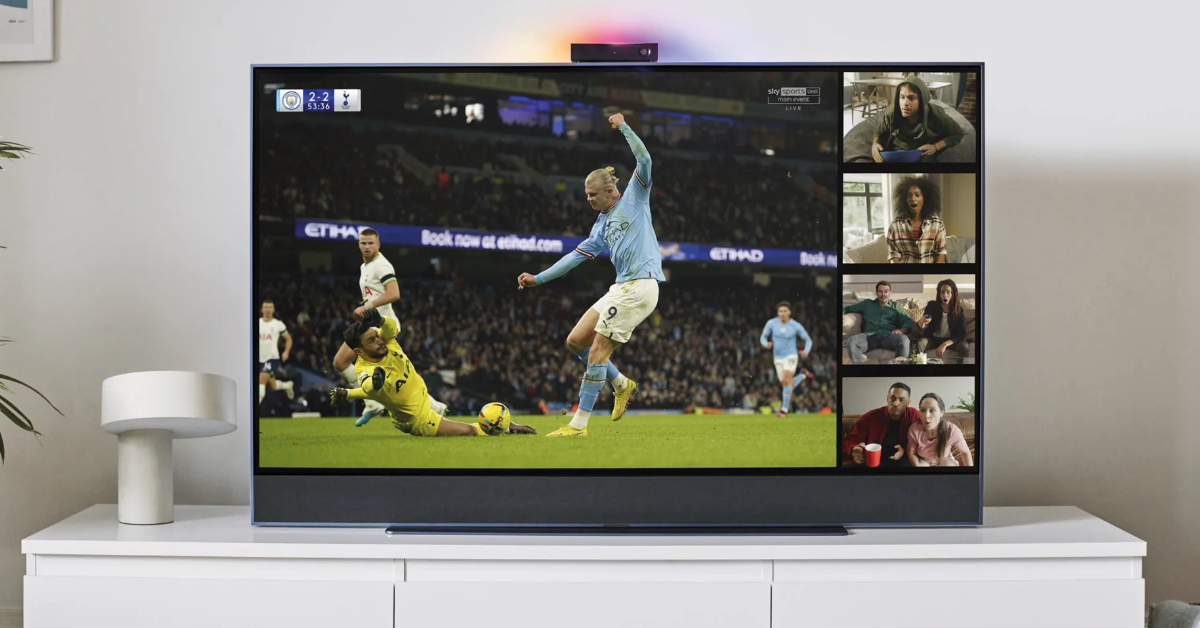
Comcast’s Sky Group has apologized to customers in the United Kingdom after some of its smart TVs and streaming devices failed to work this week.
On Thursday, Sky customers with the company’s Sky Glass TV sets and Sky Stream Internet-connected pucks reported issues with their devices. In some cases, customers complained that their Sky Glass TV sets were not turning on.
“We are sorry that some Sky Glass and Stream customers are currently experiencing issues when trying to switch on their devices,” a spokesperson for Sky said in a statement.
Sky glass tv problem 😫😫 pic.twitter.com/nxskms5zDT
— CoolstoryBroYT (@Coolstorybrotec) September 20, 2024
Sky urged customers who were encountering problems to reset their Sky Glass TVs or Sky Stream pucks by following certain steps.
For Sky Glass TV users, Sky recommended they switch off the outlet that powers their TV, then press and hold the power/standby button on the right-hand side of the TV set. While keeping the button pressed, users should switch the power back on to the outlet, then wait as long as 20 seconds for a flashing LED on their TV set. After the LEDs start flashing, customers should stop pressing the power button and allow the Sky Glass TV to go through the recovery process, which can take up to 15 minutes.
For Sky Stream customers, the process is largely the same: Switch off the power to the outlet connected to the Sky Stream device, then press and hold the standby/power button on the bottom of the device. While pressing the button, switch the power back on, and continue holding the button until the LED lights flash different colors. Once that happens, stop pressing the button and allow the device to enter the recover process, which can take as much as 15 minutes to complete.
Even after going through the recovery steps, some Sky Stream and Sky Glass customers reported continuing problems on Friday and Saturday.
“Sky Stream still not working properly,” a user on X/Twitter named Stephen wrote. “Been nearly two days now. Done everything they asked as well. Fuming.”
While Sky Stream largely requires an Internet connection to function, it wasn’t immediately clear why Sky Glass users were prevented from watching TV on their sets entirely. Sky and Comcast have not revealed what is causing the issue or when a permanent fix might be deployed.